See it in the app
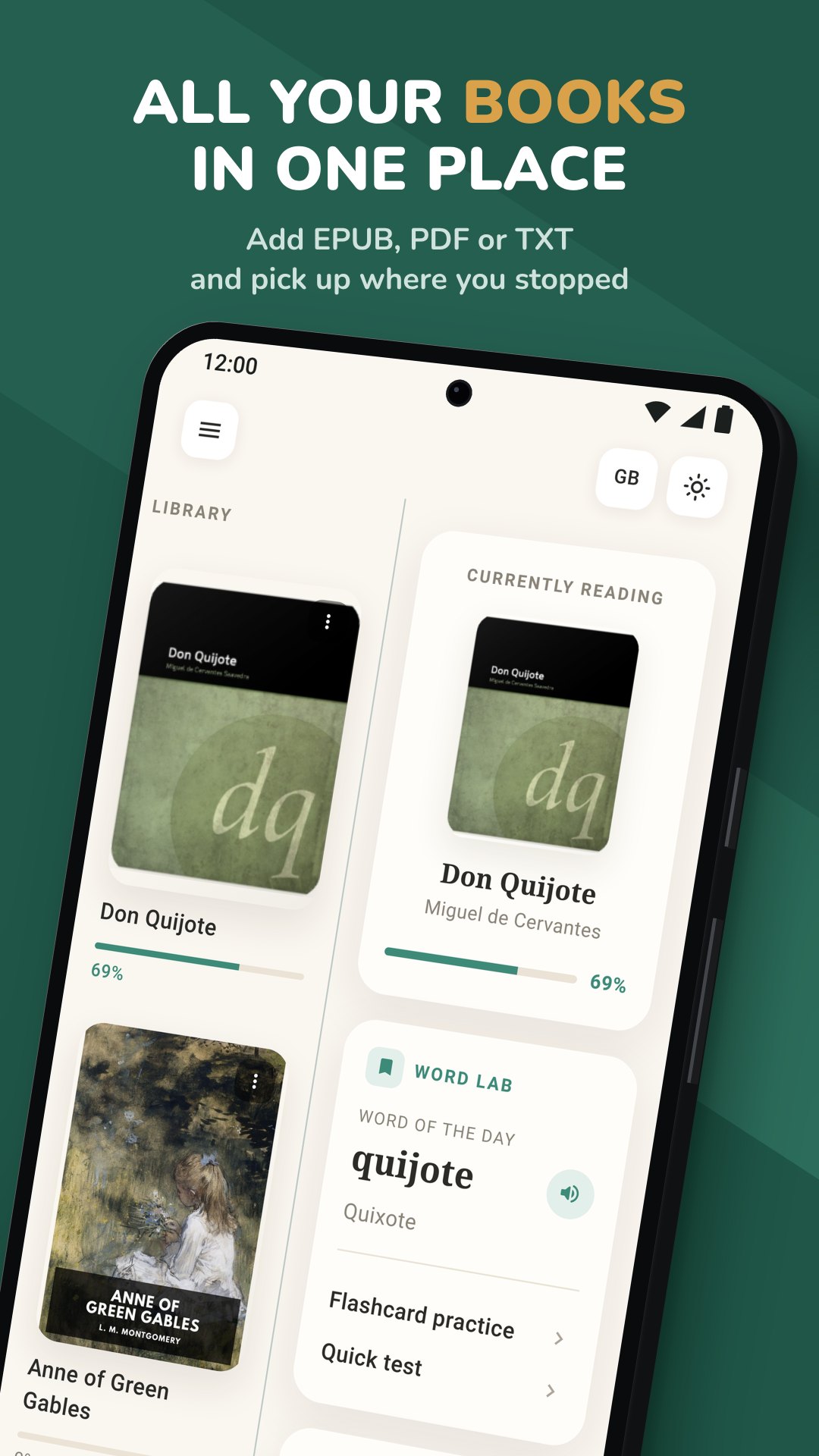
Biblyx is a book reader for language learners. Open your own EPUB, PDF or TXT books, tap any word to see what it means in that sentence, and save it as a flashcard.
For Android
Import your own books, or start with one of 29 short stories and tales in 10 languages, and read in a calm reader with no dictionary tabs to switch to.
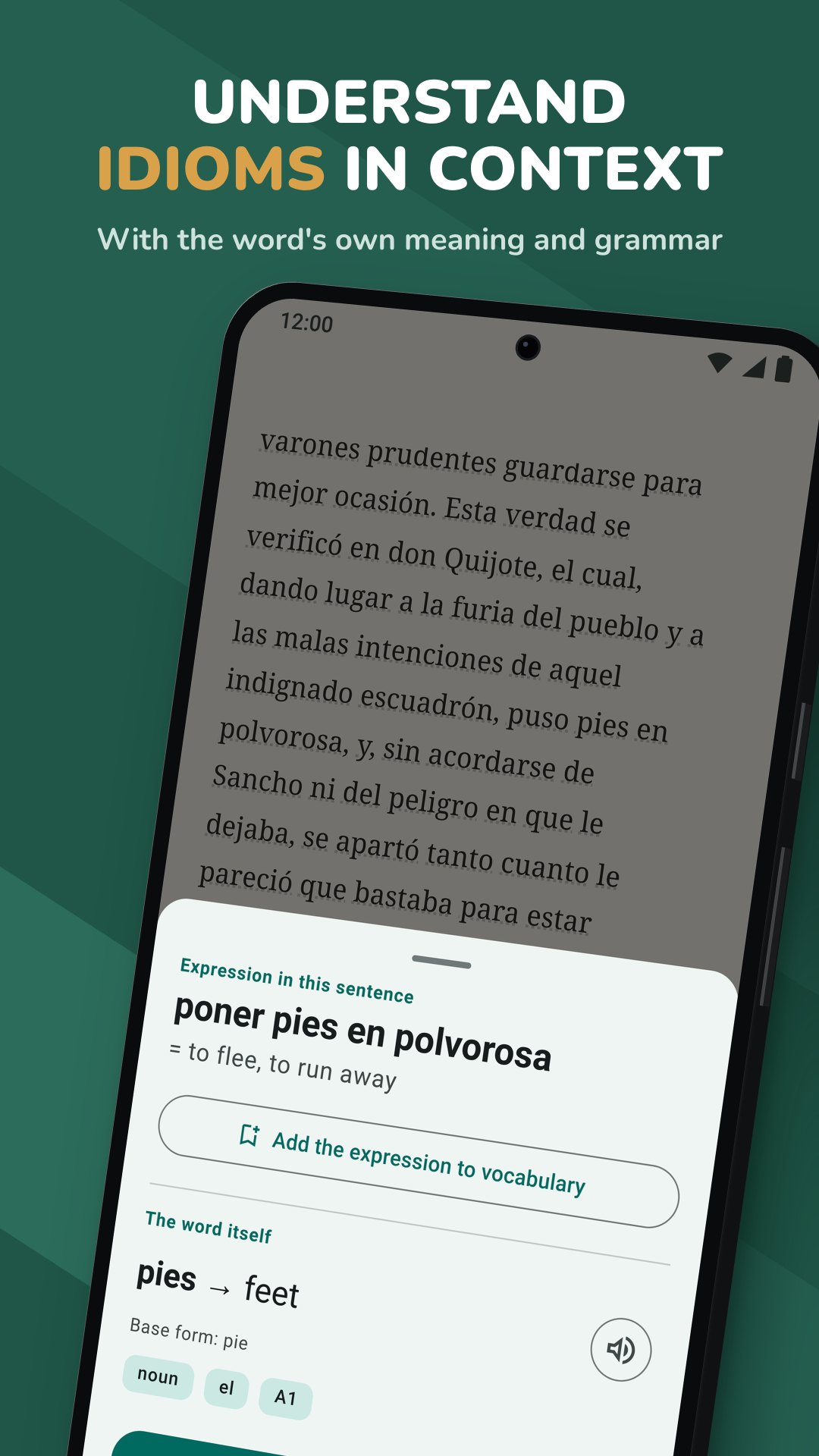
Tap any word to see its meaning in that sentence, or select a passage to translate it. Save the words you want to keep to WordLab.
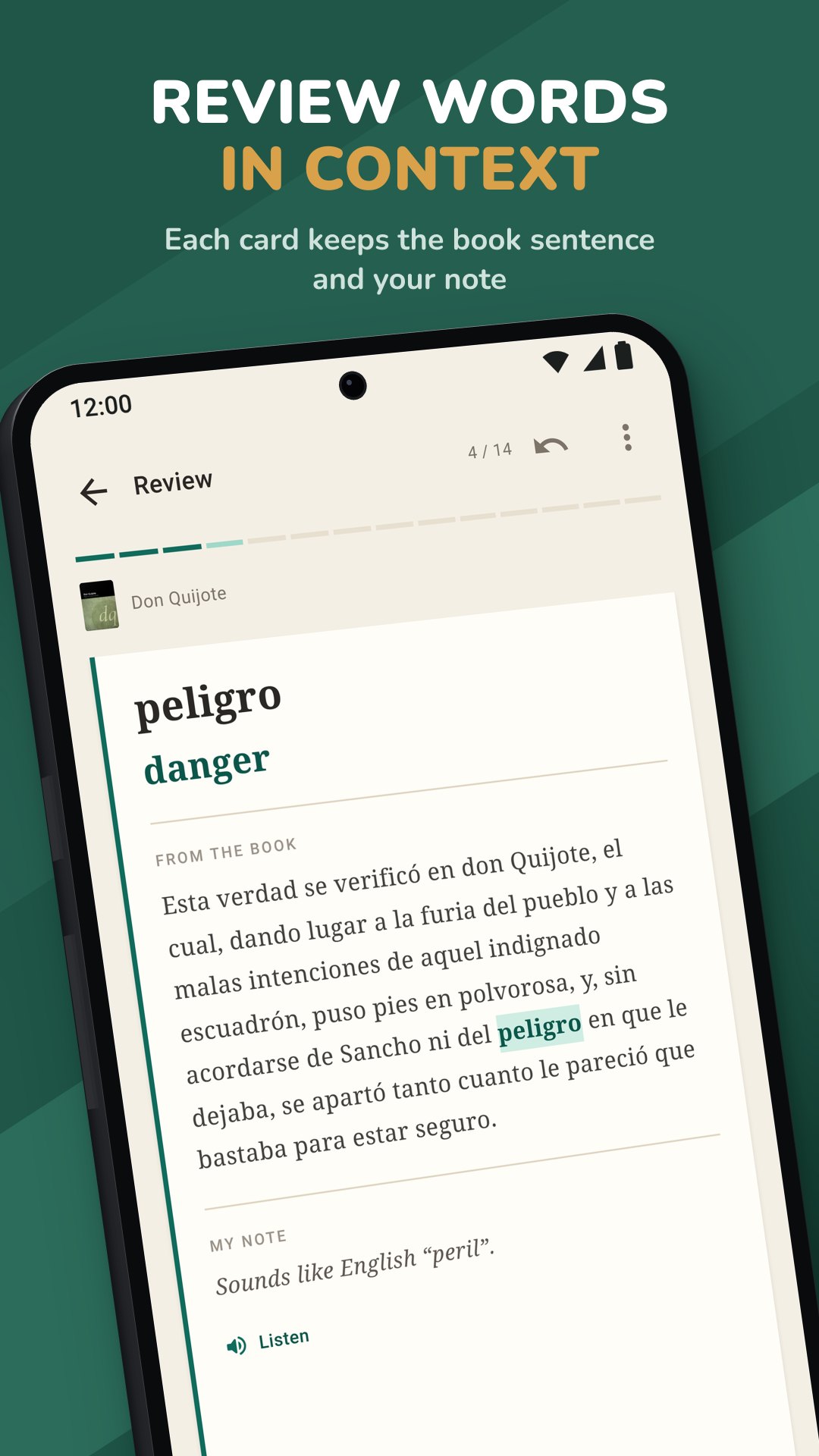
Spaced-repetition flashcards bring saved words back after 1, 3, 7, 14 and 30 days, then at longer intervals.
Import EPUB, TXT and text-based PDF files, or open them with Biblyx from a file manager, browser or email. A table of contents takes you to any chapter.
The AI translates each word for the sentence you are reading and adds its part of speech, base form and an estimated CEFR level. Listen to it with your phone's text-to-speech voice.
When a word is part of an idiom or expression, you see both meanings and can save either one as a card.
See the article of German, Spanish, French, Italian and Portuguese nouns, and the parts of compound words.
Every saved word keeps the sentence from your book, and you can add your own note to the card.
Choose 10, 20 or 30 cards per review, undo an answer, or mark a card "I already know this". Words you keep forgetting are marked as struggling, and a quick multiple-choice test adds extra practice.
Export your vocabulary as an .apkg file you can import into Anki, or as a CSV file for a spreadsheet. Only words are exported, never the text of your books.
Search inside a book, add bookmarks and highlight in four colors. Sign in to sync saved words, review progress, bookmarks and highlights between devices; book files stay on your device.
Yes. Reading, WordLab, export, reminders and sync need no subscription, and there are no ads. AI translations of words and passages use a daily allowance. Premium removes the daily limit (fair use applies), with a monthly, six-month or yearly plan.
EPUB, TXT and text-based PDF. Scanned PDFs, which are only images of pages, can't be read word by word. Your book files stay on your device and aren't uploaded to Biblyx's servers.
Yes, for reading and for reviewing your flashcards. Looking up a new word or translating a passage needs an internet connection.
Every word you save gets an estimated CEFR level from A1 to C2, and WordLab shows your saved words by level.
No account is needed to read and translate. Sign in with email or Google to sync your saved words, review progress, bookmarks and highlights between devices, or to buy Premium.
Books in English, German, Spanish, French, Italian, Russian, Polish, Portuguese, Turkish and Azerbaijani can be translated; Swedish, Dutch, Ukrainian and Tajik are in beta. Books in other languages can be read, but not translated. The interface is available in the same 10 languages, and meanings appear in your interface language.
Yes. WordLab exports your words as an .apkg file you can import into Anki, with ready-made cards, or as a CSV file for Excel or Google Sheets. Only words are exported, never the text of your books.
Not yet. Biblyx is available on Android through Google Play. An iOS version is planned, but there is no date yet.
Biblyx builds your vocabulary from the books you read, not from ready-made word lists. Each meaning is fitted to the sentence you are reading, and each saved word keeps that sentence on its card.